Knowledge
Give Qarmiq your documents so it understands what your product is meant to do, and answer what it cannot work out.
Knowledge is what Qarmiq knows about your product: specs, help pages, release notes, and what your team tells it. The project’s AI reads each document and keeps what a person testing the product would need. Open Settings, then Knowledge under PROJECT.
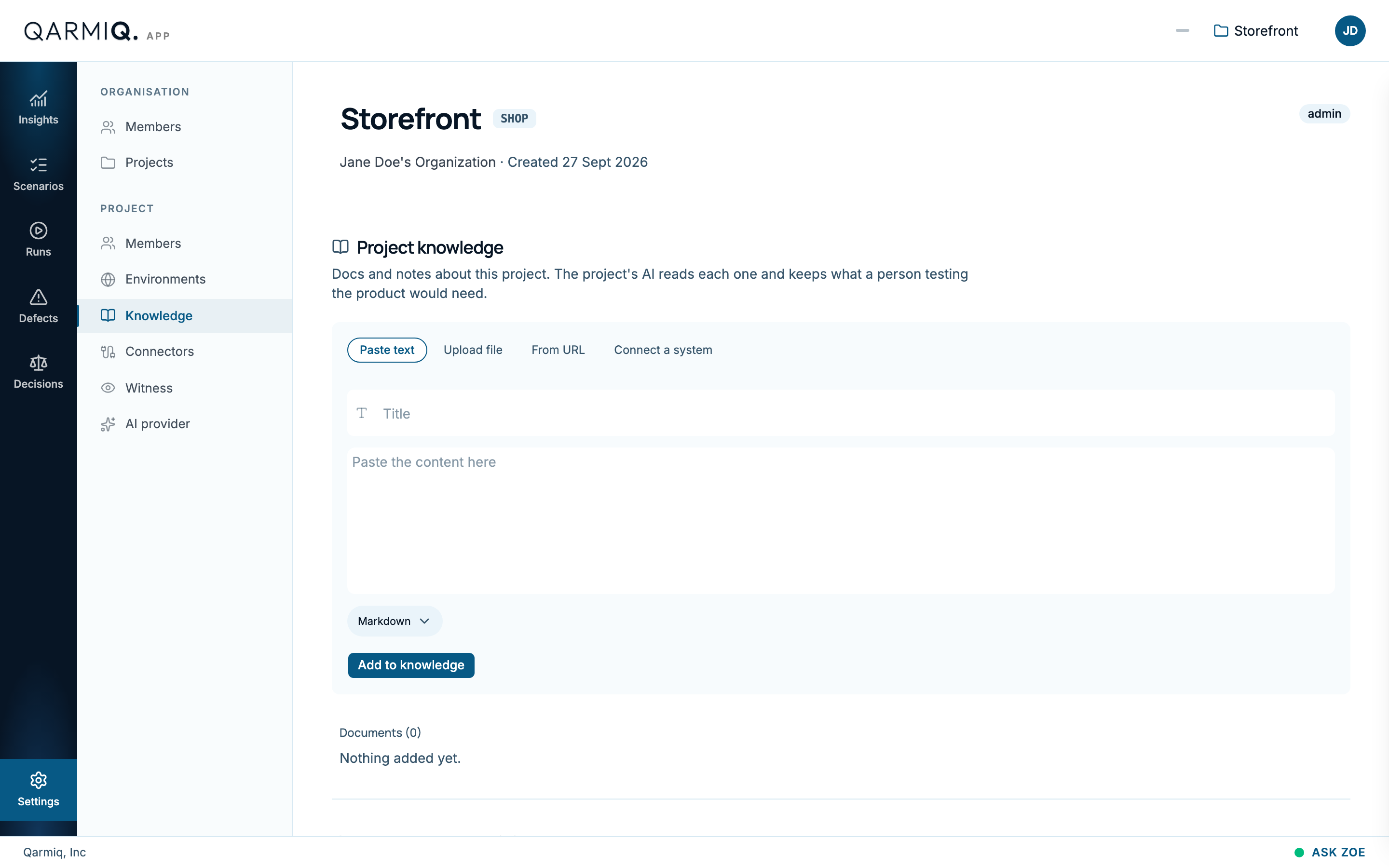
Add a document
Choose one way, then select Add to knowledge.
- Paste text: enter a Title, the Content, and choose the Format.
- Upload file: choose a Markdown, text or HTML file.
- From URL: enter a public address. Qarmiq re-reads it over time.
- Connect a system: let one of your own systems push documents in. See below.
Documents and knowledge items
Documents lists what you added. Knowledge items lists what Qarmiq read from them, each filed under an area of the product with a status such as confirmed and where it came from, for example “answered directly by a person”. Items appear once a document has been read. A person confirms each one, and conflicts between items are raised as Knowledge conflict decisions.
Questions for you
Questions for you lists real pages that nothing written down explains, for example “What is /checkout for, and who is it for?”. Pages come from your crawls.
- Select Answer and write what you know. It becomes a knowledge item.
- Select Nothing to add if there is nothing to say. Either way, it is not asked again.
Connect a system
If you keep documents in your own tooling, a connection lets it push them in. Connections lists each one with how many documents it has pushed and whether its key is active.
- Show the push request displays the request to send, and Copy the push request copies it.
- Rotate key replaces the key and stops the old one. Revoke key stops it for good.
- Remove connection deletes the connection.
A key is shown once when it is created. Keep it as you would a password.
Last verified against the product on 28 October 2026.