Create and find runs
Create a run for everything, a collection, a filtered set or one scenario, and find runs afterwards.
A run tests a fixed set of scenarios on one environment. It keeps the exact wording of every check as it was when you created it, so later edits never change what a run tested.
How a run decides what to test
You do not pick scenarios in the New run dialog. A run takes whatever the scenarios list is showing. So you shape the list first, then select Run. The dialog tells you what it will include under Scenarios to include, for example “84 scenarios, All scenarios, no filters” or “11 scenarios, Collection: Smoke”.
| You want to test | Do this first | Then |
|---|---|---|
| Everything | Clear all filters. | Select Run. |
| A collection (a smoke or regression set) | Choose it in the Collections filter. | Select Run. The run records the collection, and its clean runs in a row on Insights count it. |
| An ad hoc set | Use the search box, Tags, Groups, Health or Red lines, in any mix. | Select Run. |
| One area | Group by entry point and filter to it, or search for its path. | Select Run. |
| Only what is failing or stale | Choose Watch, Flaky or Stale in Health. | Select Run. |
| One scenario | Open the scenario. | Select Test run on it. |
Collections are described in Merge and collections.
The New run dialog
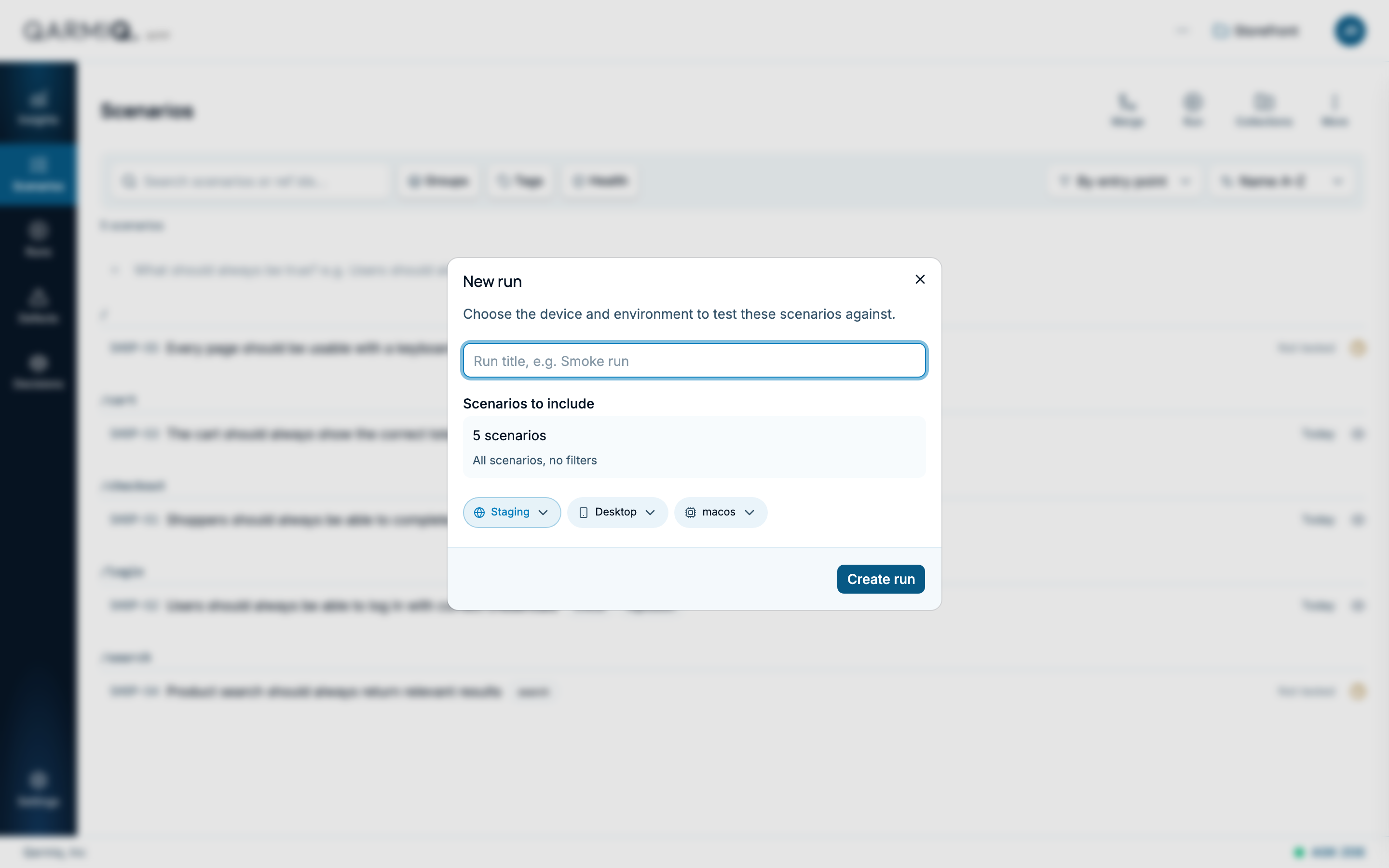
- Optionally enter a Run title, such as “Release 2.4 smoke run”.
- Check Scenarios to include. If the count is wrong, close the dialog and change the filters.
- Choose the Environment. The list is the environments set up for the project. See Environments.
- Choose the Device and the operating system, such as macos or windows.
- Select Create run.
Each run gets a reference such as SHOP-R1. Add more browsers to a run afterwards. See Browsers and assignees.
You can also ask Zoe to prepare a run. She opens the dialog filled in, and you check it and select Create run. See Zoe.
Find a run
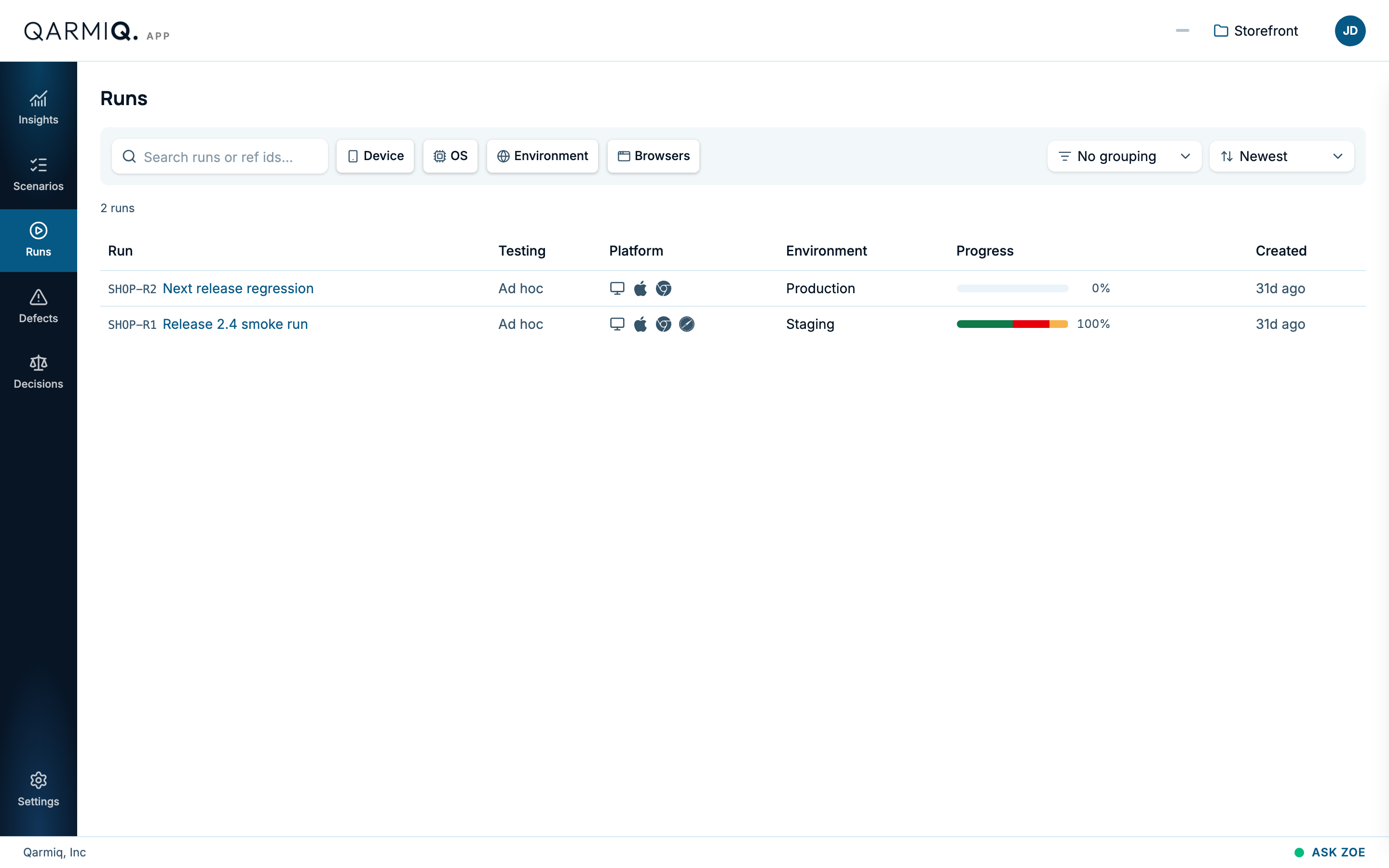
Open Runs in the left rail. Each row shows the run’s reference and title, what it is testing, its platform, its environment, its progress and when it was created. A run made from a collection shows the collection’s name. Others show Ad hoc.
- Search runs matches the title or reference.
- Device, OS, Environment and Browsers filter the list.
- Group runs and Sort runs reorder it.
In the progress column, a run reads Not started until it has a result, shows how much is tested as a percentage, and reads Being tested now while an autonomous test is running. It also says how many tests it has had.
Open a run to work in it. See Verdicts and the run grid.
Last verified against the product on 28 October 2026.