Scenarios
Write what must always be true, then find, filter, group and act on scenarios from one list.
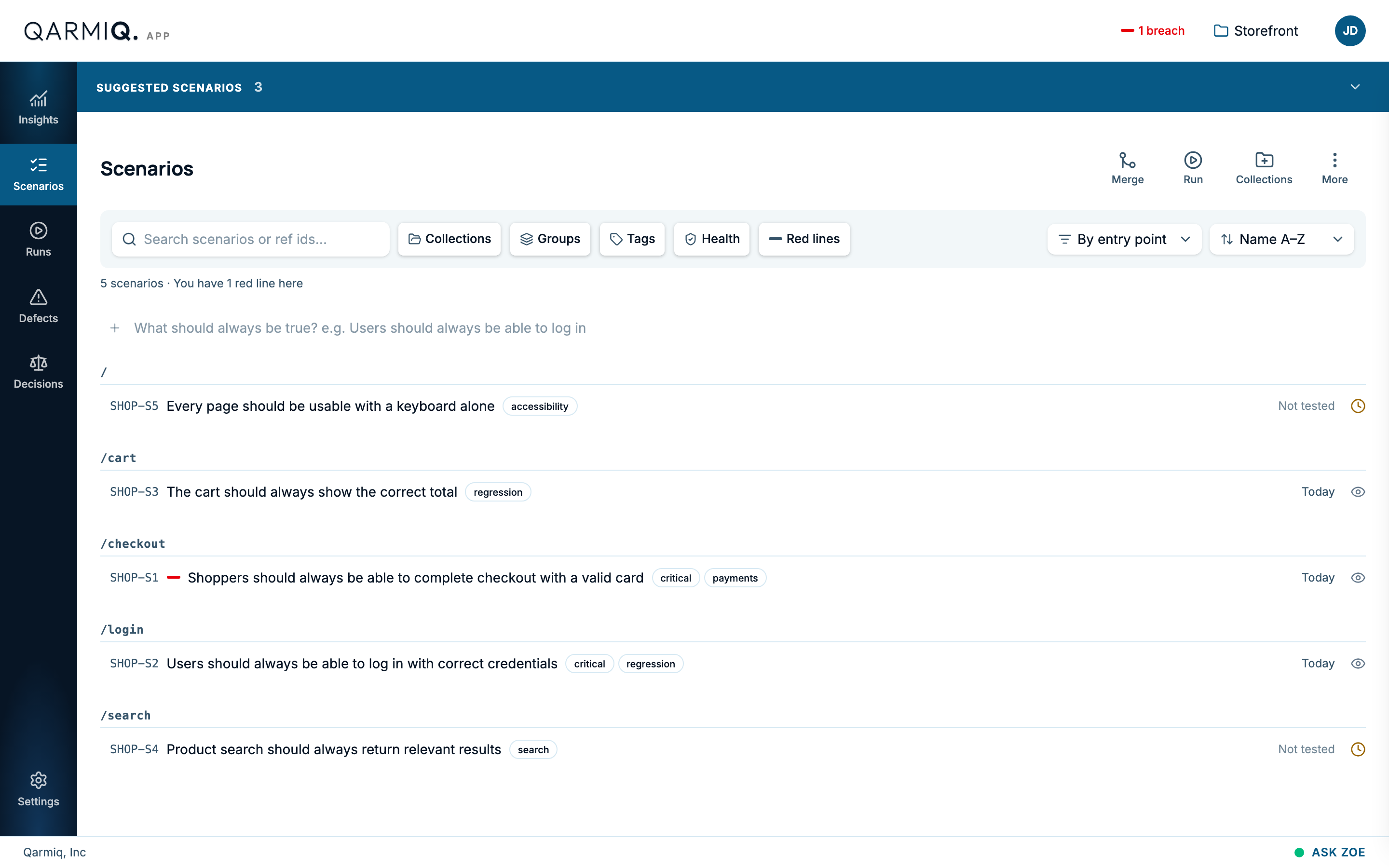
A scenario is a promise your product must keep, written as one statement (see Write good scenarios): “Shoppers should always be able to complete checkout with a valid card.” It is not a script of steps. The checks inside it say how to verify the promise.
Create a scenario
Use the row at the top of the list.
- Type the statement in What should always be true?
- Add an Entry point, the page or route it applies to, such as
/login. - Add optional Tags, such as
criticalorregression. - Select Add scenario.
Each scenario gets a short reference, such as SHOP-S1. Then add its checks. See Checks.
Read the list
Each row shows the reference, the statement, its tags and, on the right, its health: a date for when it was last tested, Not tested, or a warning icon. Hover the icon for the reason, such as “Watch: Pass rate 50% is below 85%.” A red dash beside the reference marks a red line. See History and red lines.
The line under the filters counts what is shown, for example “5 scenarios · You have 1 red line here”.
Find and organise
- Search scenarios or ref ids matches the statement or the reference.
- Collections shows only the scenarios in a collection, or In no collection.
- Groups and Tags filter by entry point and by tag.
- Health filters by state: Stable, Watch, Flaky, Stale or No health yet.
- Red lines shows only red-line scenarios.
- Group scenarios by entry point, tag or nothing, and Sort scenarios by name or date.
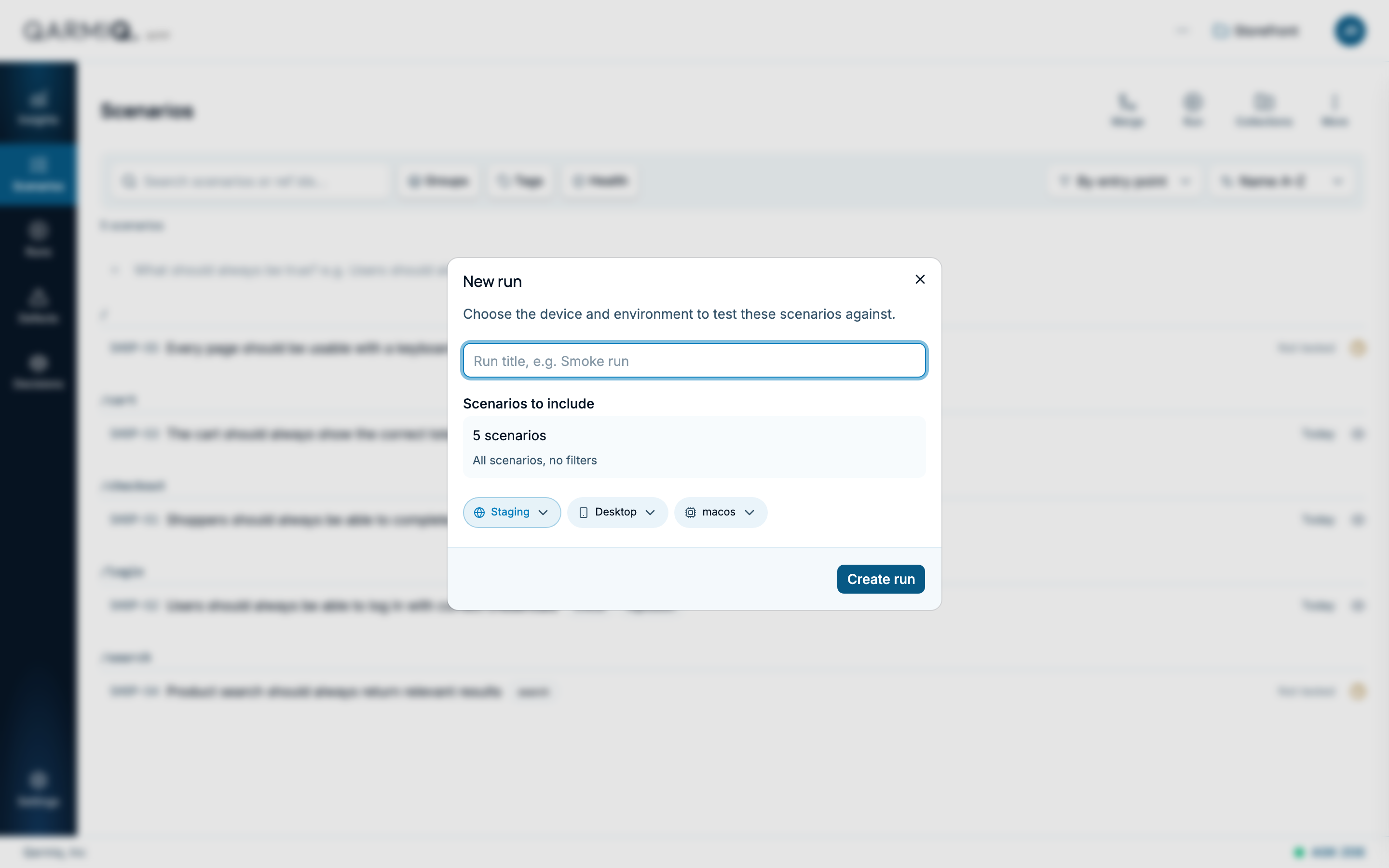
Filters combine. They also decide what a run will test. See Create and find runs.
The toolbar
| Button | What it does |
|---|---|
| Review tree | Opens a map of what changed recently. See Review tree. |
| Merge | Combines two duplicate scenarios. See Merge and collections. |
| Run | Creates a run from what the list shows. |
| Collections | Adds a collection. |
| More list options | Show merged scenarios, and adding the scenarios shown to your red lines, or to a teammate’s. |
Suggested scenarios
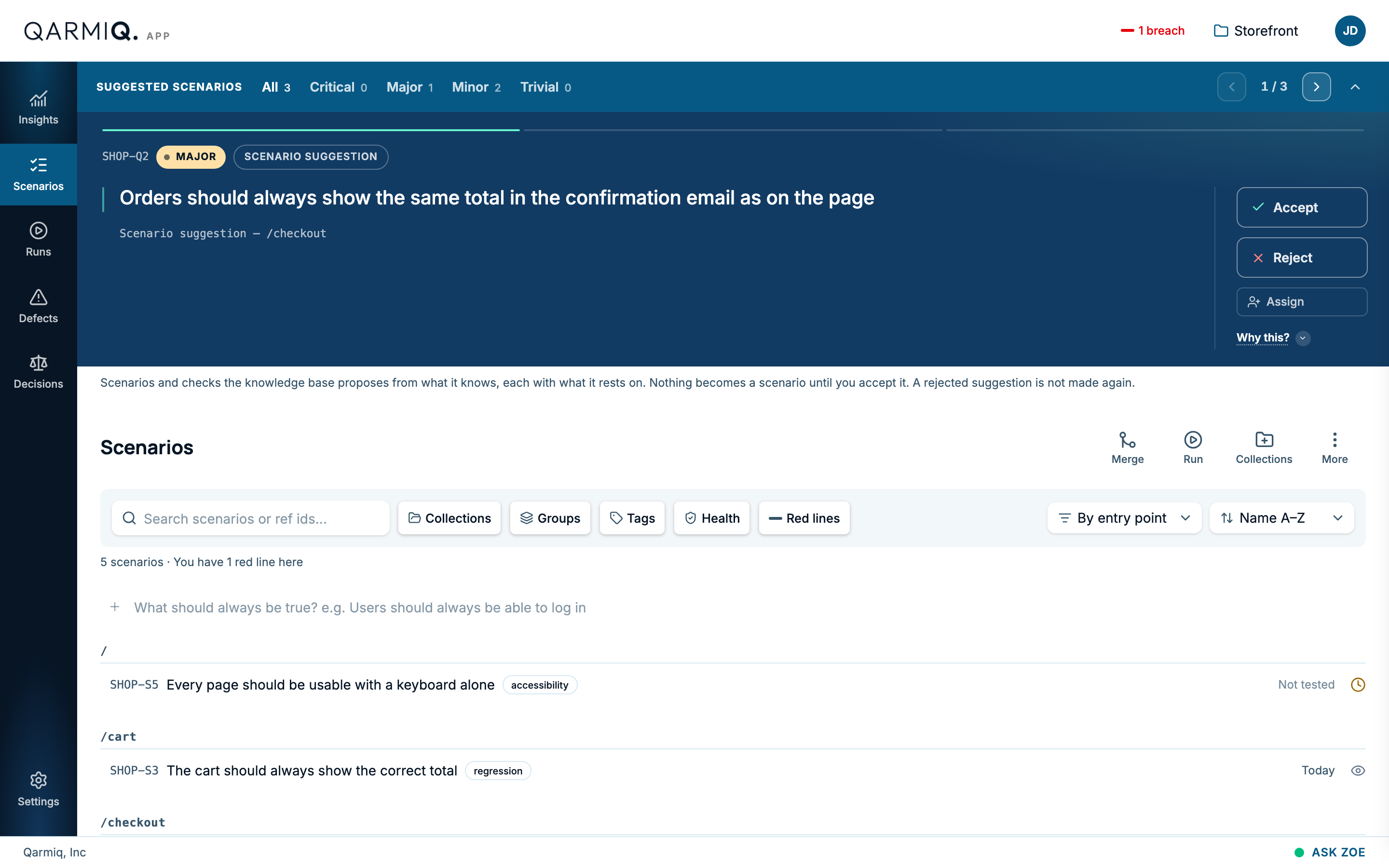
When Qarmiq has proposals, a SUGGESTED SCENARIOS bar appears above the list with a count by severity. Select it to step through them, and Accept or Reject each one. Nothing becomes a scenario until you accept it. The same cards are on Decisions.
Open a scenario
Select a row to open it. Run a single scenario with Test run. See Checks.
Last verified against the product on 28 October 2026.