Areas, automation and risk
See which parts of the product are healthy, who tests each check, and where testing effort and risk do not line up.
These views sit behind Full breakdown, Scenario by scenario and the charts on the Insights page.
Areas
An area is the entry point a scenario belongs to, such as /checkout.
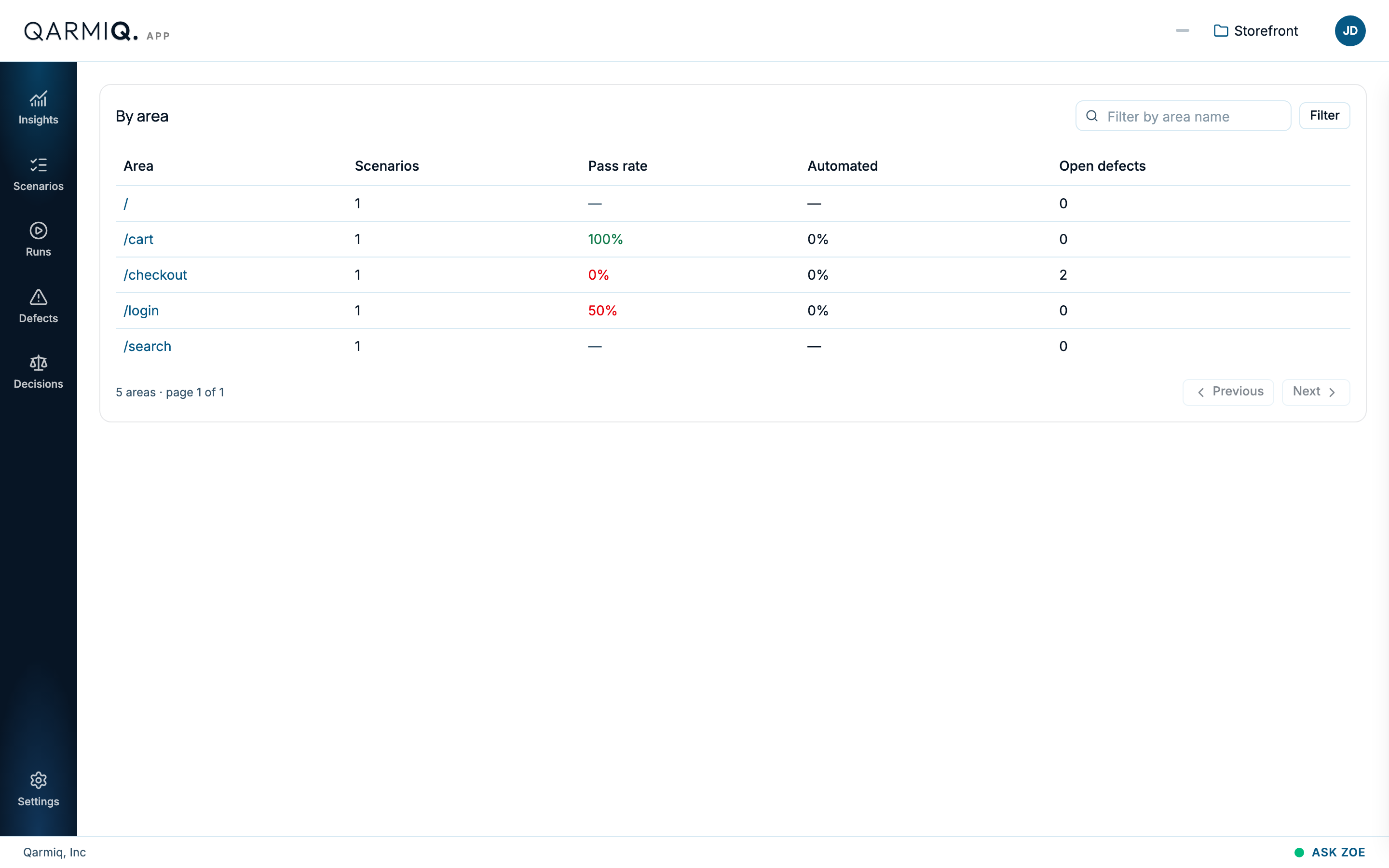
The table lists each area with its number of Scenarios, its Pass rate, how much of it is Automated and how many Open defects it has. Use Filter to narrow it and the paging controls to move through it. An area with a low pass rate and open defects is where to look first.
Each area has a health state, shown on the scenario list and in Areas by health:
| State | Meaning |
|---|---|
| Stable | Passing, steady and tested recently. |
| Watch | The pass rate is below 85%. |
| Flaky | Gives different results on repeat runs in the same browser and environment. |
| Stale | Not tested in the last 60 days. |
| No health yet | Never tested. |
Effort and risk
EFFORT AND RISK has two charts side by side. Read them together, not row against row.
- Where testing effort is going is a treemap. A bigger box means more testing of that area. Areas coloured as high-risk stand out.
- Where the risk concentrates is a heatmap of areas against risk dimensions. The darker the cell, the more risk. The dimensions are Staleness (how long since the area was tested), Open defects and Pass rate. It shows the 20 highest-risk areas.
The finding to look for is an area that is large on neither chart: lightly tested and high-risk. The Effort on risk signal on the radar is this mismatch as one number.
Select a cell to see exactly what makes up that number. A panel opens, titled with the area and the dimension, such as “/checkout: Staleness”. It lists the scenarios behind it, each with a reason chip, for example “not tested in the last 60 days” or “6d since last verdict”. Select a scenario to open it. Hover a cell for its score.
Automation
What is automated shows, for every check, who tests it when a run is made. Open it with Scenario by scenario on Insights.
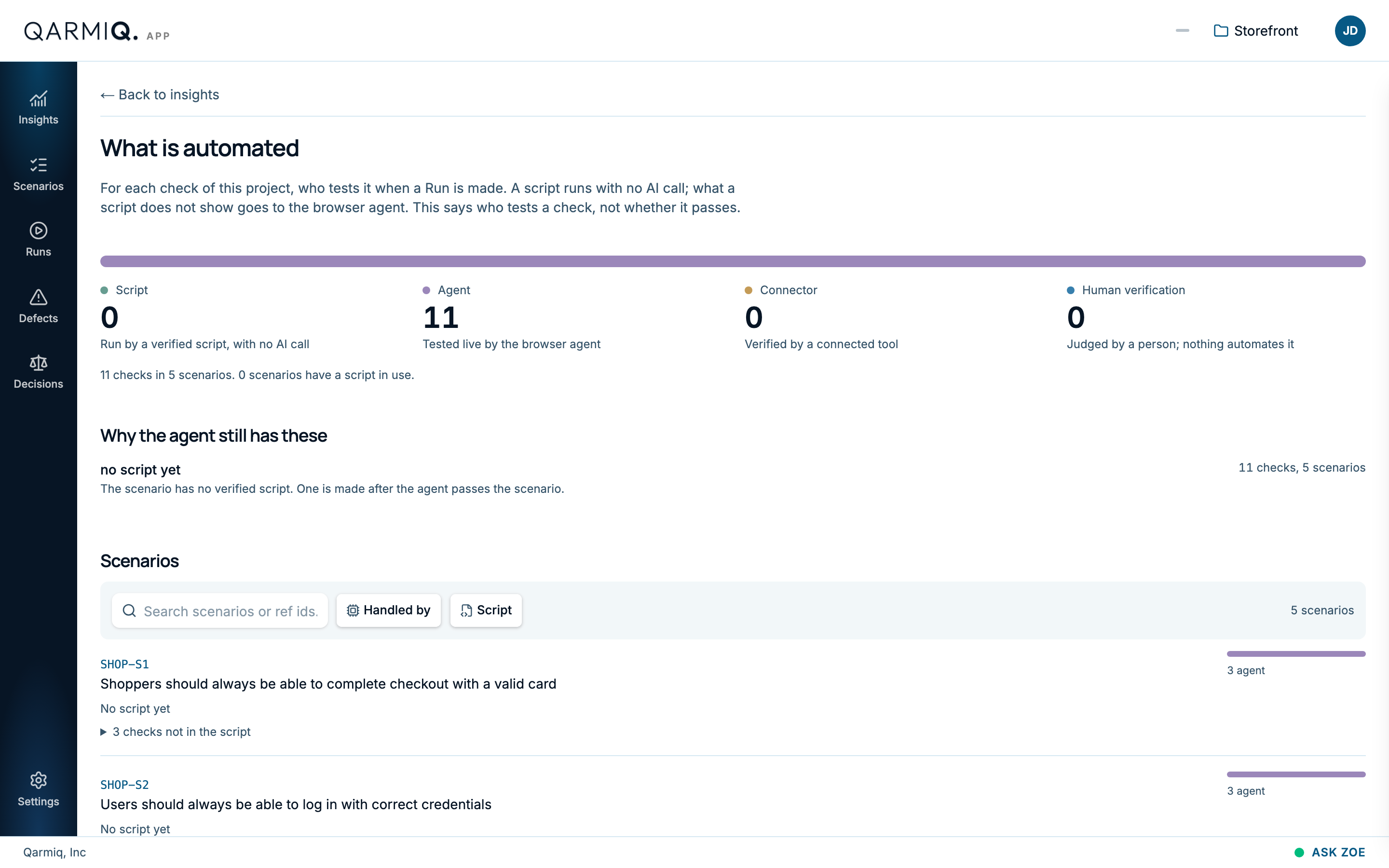
| Count | Meaning |
|---|---|
| Script | Run by a verified script, with no AI call. |
| Agent | Tested live by the browser agent. |
| Connector | Verified by a connected tool. See Connectors. |
| Human verification | Judged by a person. Nothing automates it. |
It says who tests a check, not whether it passes. Below the counts, Why the agent still has these explains what keeps checks from a script, such as “no script yet”: a script is made after the agent passes the scenario. Each scenario shows how it is handled and whether a script is in use. For a scenario with a script, a Proof line says how many of its tests held up when the script was proved, and on what date, for example “Proof: 4 of 4 tests held up”. To get a script, see Playwright scripts.
Select Back to insights to return.
Last verified against the product on 28 October 2026.