A project holds the scenarios, runs, defects and settings for one product or website.
Create a project
Open Settings, then Projects under ORGANISATION.
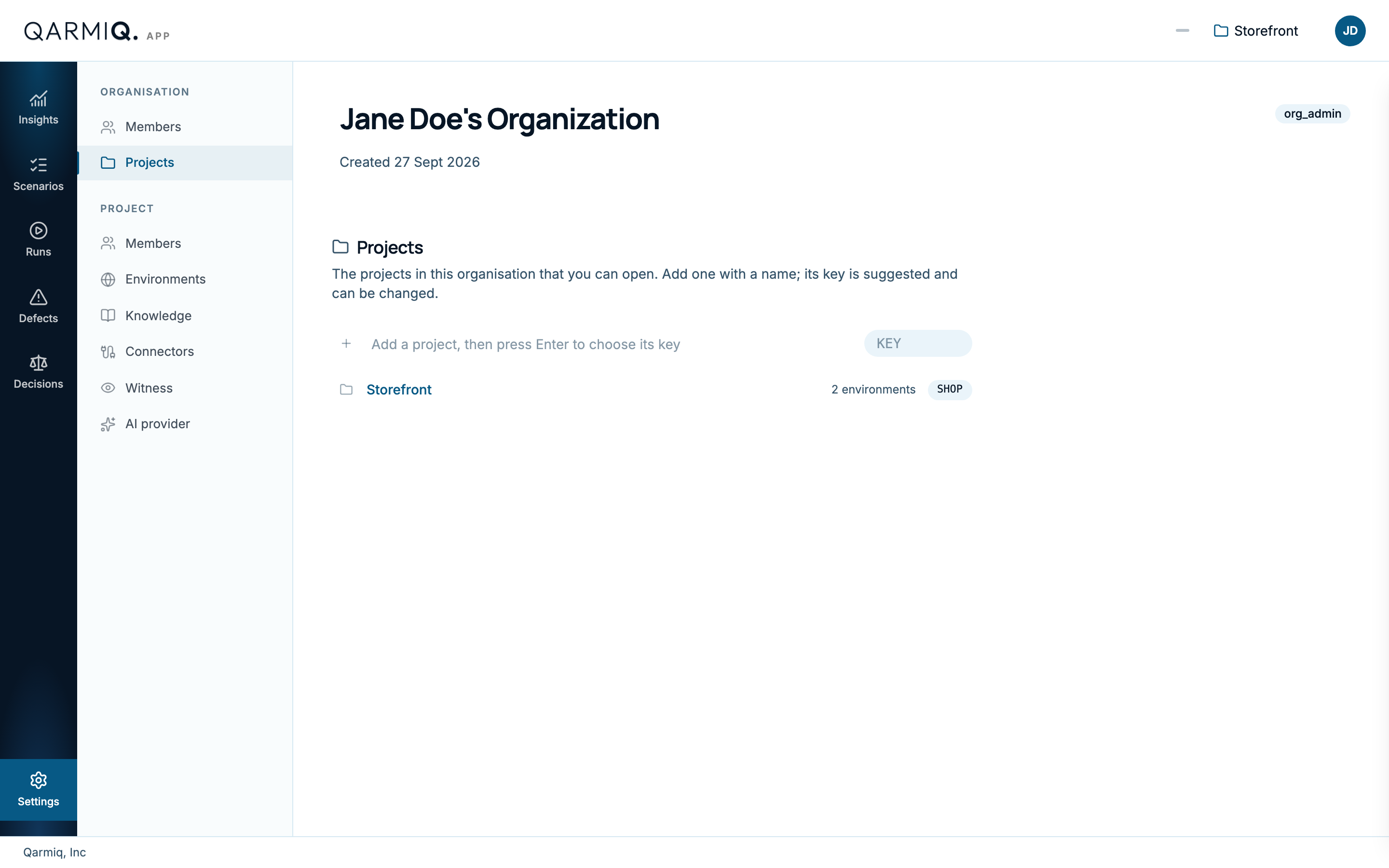
Enter a Project name. Qarmiq suggests a Project key from it, such as SHOP, which you can change. The key starts a letter, uses capitals and numbers only, and prefixes every reference in the project: SHOP-S1 for a scenario, SHOP-R1 for a run, SHOP-D1 for a defect.
Organisation administrators and project administrators can create projects. You become an administrator of each one you create.
The list shows the projects you can open, with their key and how many environments each has. Select one to open its Insights.
Rename a project
Project administrators select Rename project beside the project name at the top of any project settings page.
If you cannot open a project
If you see “You don’t have access to this project”, you are not a member of it. Ask a project administrator to add you. See Project members.
Last verified against the product on 28 October 2026.