Select Report at the top of a run.
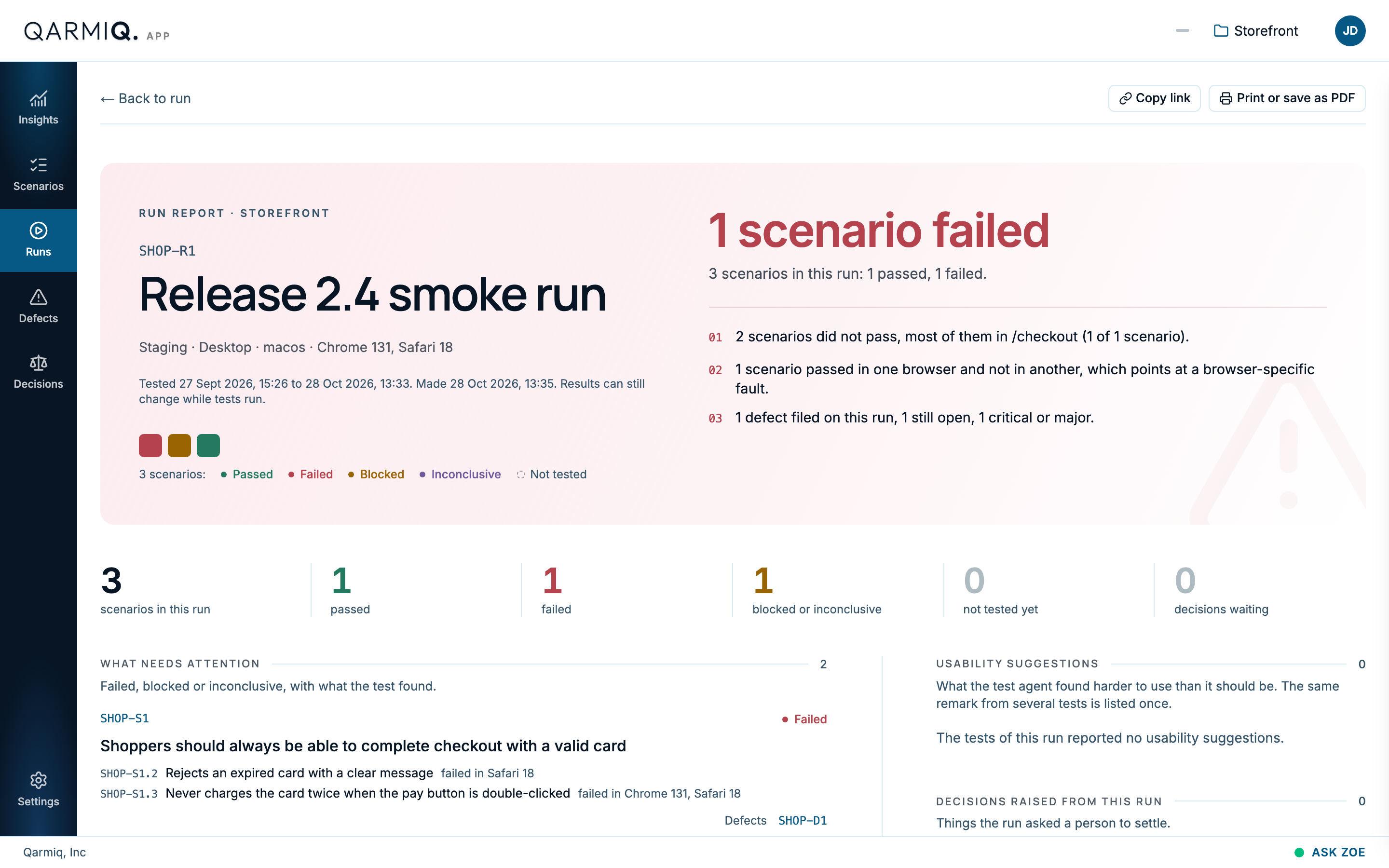
The report opens with the run’s title, environment, device and browsers, and when it was tested. Results can still change while tests run.
The summary
A headline says how the run went, such as “1 scenario failed”. Four numbered lines follow:
- How many scenarios did not pass, and where most of the failures are.
- How many defects were filed on this run, how many are still open, and how many are critical or major.
- What the AI agent reported beyond the checks: possible defects and usability suggestions.
- How many decisions raised from this run are waiting for a person.
A row of totals gives scenarios in the run, Passed, Failed, Blocked or inconclusive, Not tested yet and Decisions waiting.
The sections
| Section | What it shows |
|---|---|
| WHAT NEEDS ATTENTION | Each scenario that failed, was blocked or was inconclusive, with the checks that failed, the browsers, how many tests it had and the defects filed. |
| HOW STEADY THE RESULTS WERE | Scenarios tested more than once that answered differently. Those are the ones to trust least. |
| EVERY SCENARIO | One line per scenario with its result and a count of tests. Scenario results lists them in the order tested. |
| USABILITY SUGGESTIONS | What the agent noticed about how the product feels to use. |
| DECISIONS RAISED FROM THIS RUN | What is waiting for a person. See Decisions. |
| WHERE THE RISK IS | The areas that carry the most risk in this run. |
| ALSO NOTICED BY THE AGENT | Possible defects and Edge cases beyond the checks. Hover one to file a defect from it. See Autonomous test results. |
| NOT TESTED YET | Scenarios in the run with no result. |
| DEFECTS FILED | Every defect filed on this run, with severity and status. |
| HOW IT WAS TESTED | How the scenarios in this run were tested. |
Copy link copies the report’s address, and Print or save as PDF makes a file you can share. Select Back to run to return.
Last verified against the product on 28 October 2026.