Checks
Break a scenario into the specific things to verify, and add the detail a tester needs.
Open a scenario to see its checks. For how to write good ones, see Write good checks. A check is one specific thing to verify, such as “Rejects an expired card with a clear message”. A check holds no clicks or selectors, so a redesign does not invalidate it.
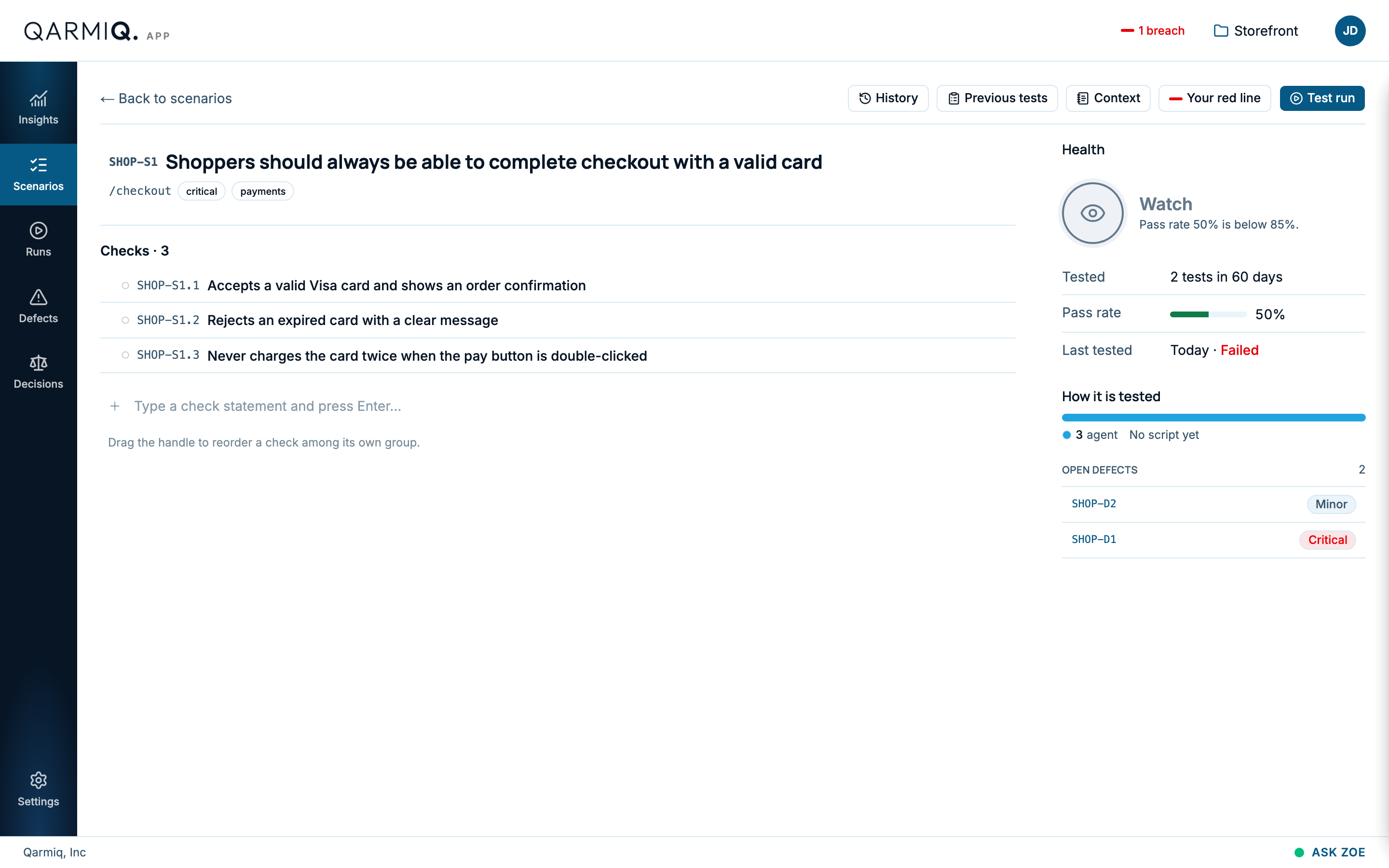
The panel on the right
The panel shows the scenario’s Health and why, how many tests it has had in 60 days (Tested), its Pass rate, when it was Last tested, how it is tested (How it is tested, such as agent or script) and its OPEN DEFECTS. Health is one of Stable, Watch, Flaky, Stale or No health yet. See Areas, automation and risk.
Add a check
Type the statement in the row at the bottom, choose a tag with New check tag and how it is verified with New check verified via, then select Add check.
| Tag | Use it for |
|---|---|
| happy_path | The normal, successful flow. |
| negative | Bad input and expected failures. |
| edge_case | Unusual but possible situations. |
| security | Access, privacy and abuse. |
| accessibility | Keyboard, screen reader and contrast. |
| performance | Speed and responsiveness. |
Verified via says who confirms the check: Browser, API, Database, Human verification or Connector. It decides whether the AI agent or a script may take it. See Write good checks for when to use each.
Each check also shows how a run tests it, such as “Agent: no script yet”. See Areas and automation.
Add detail
Select Check context beside a check to write what a tester should know: what makes it pass, the data to use, anything else. It is one free text with no fields, read together with the scenario’s context and the other checks’ contexts.
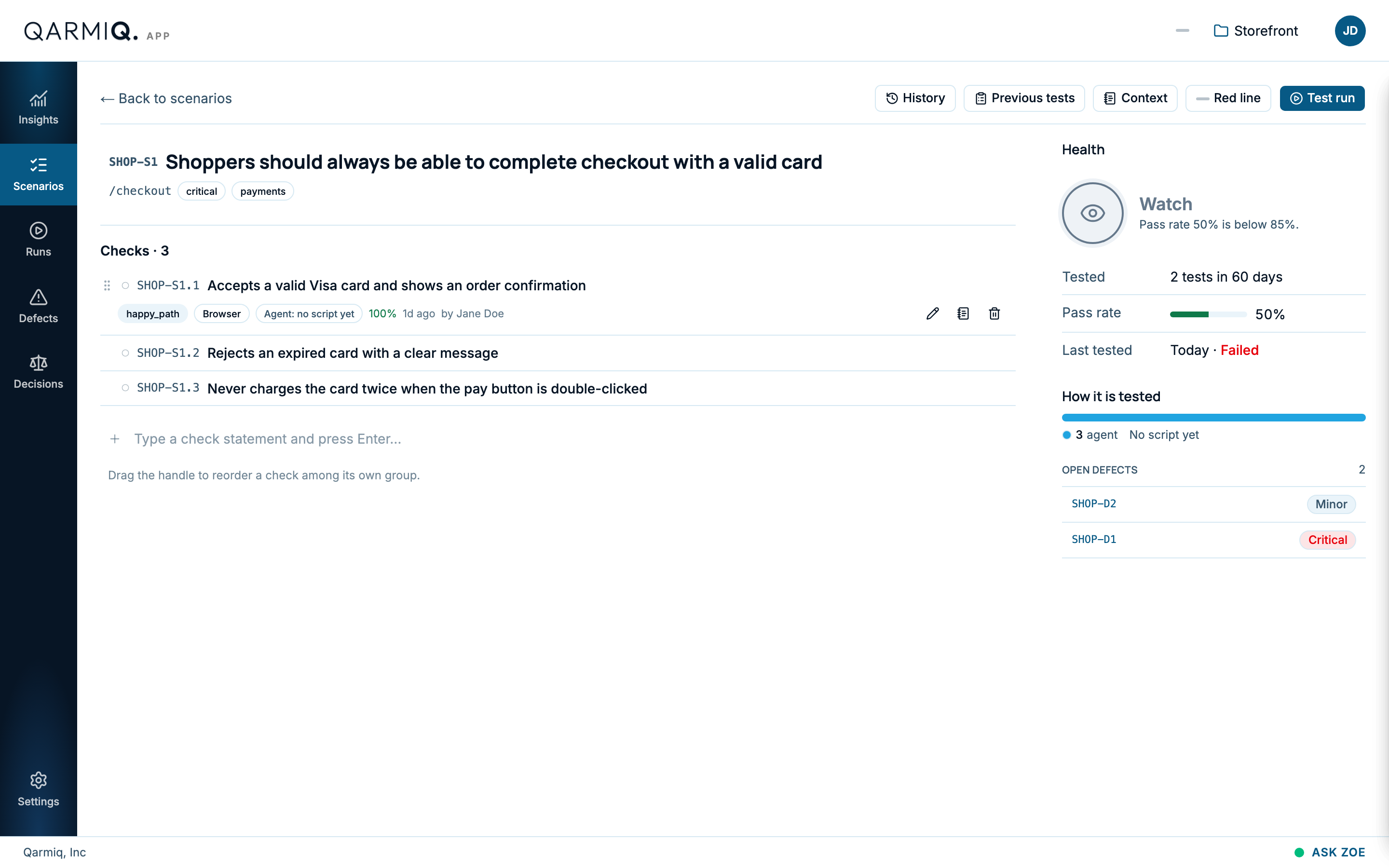
Reorder and edit
Drag the handle on the left to reorder checks. Use Edit check to change one, and the bin icon to delete it. The bug icon, File defect, files a defect against the check. See Defects.
A run keeps the exact wording it tested. Changing or adding a check later does not change existing runs.
Last verified against the product on 28 October 2026.