Decisions
Everything Qarmiq proposes waits here for a person to accept or reject, and what each kind of decision does.
Qarmiq proposes things as it learns your product: a new scenario with its checks, a changed page, a duplicate to merge. Nothing takes effect until a person decides.
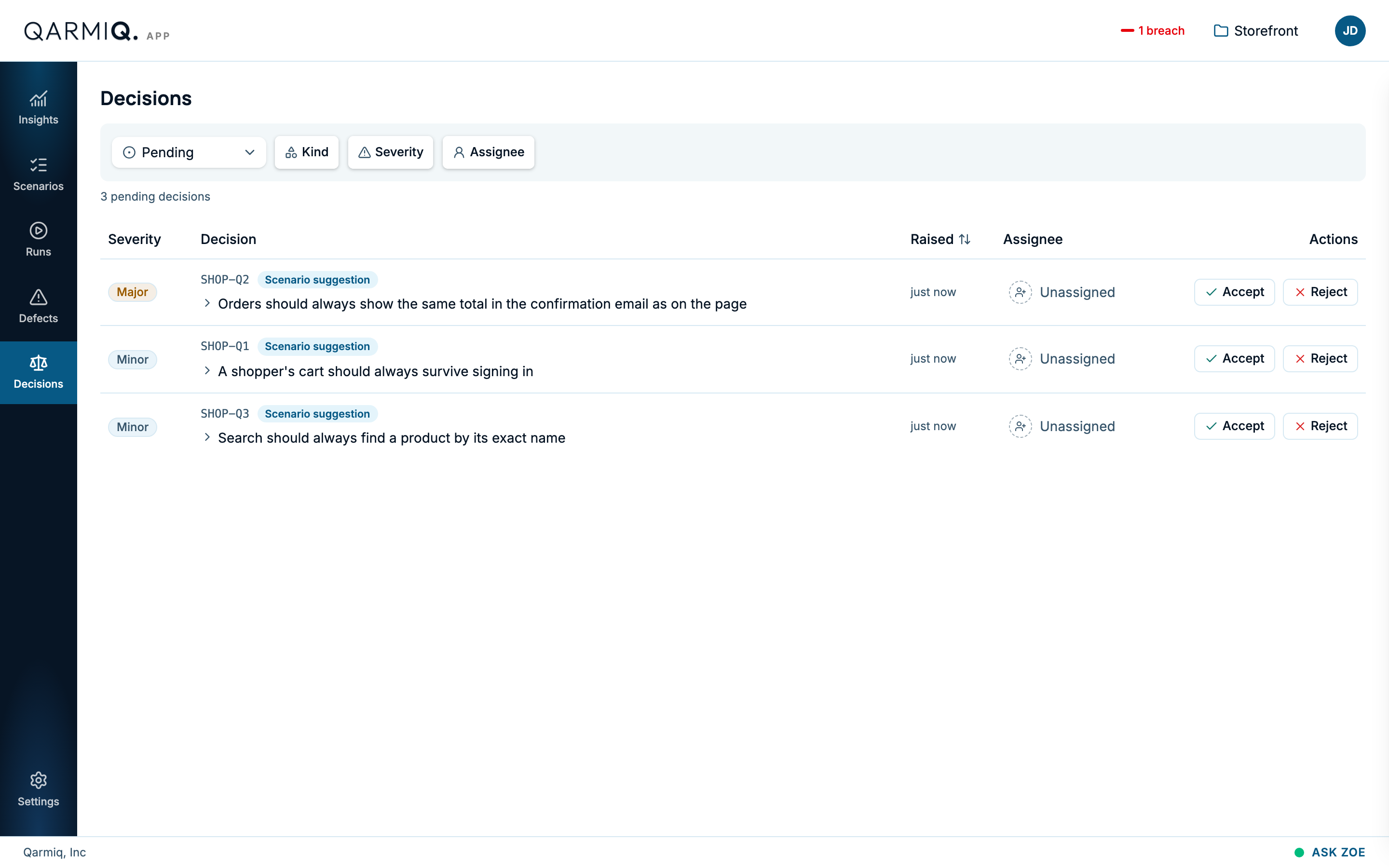
Open Decisions in the left rail. Each row shows its Severity, a reference such as SHOP-Q1, the Kind, the proposal in one sentence, when it was Raised, and who it is assigned to (Unassigned until someone takes it).
Read a decision
Select a row to open it. A scenario suggestion shows why it is proposed, the checks it would add and what it rests on.
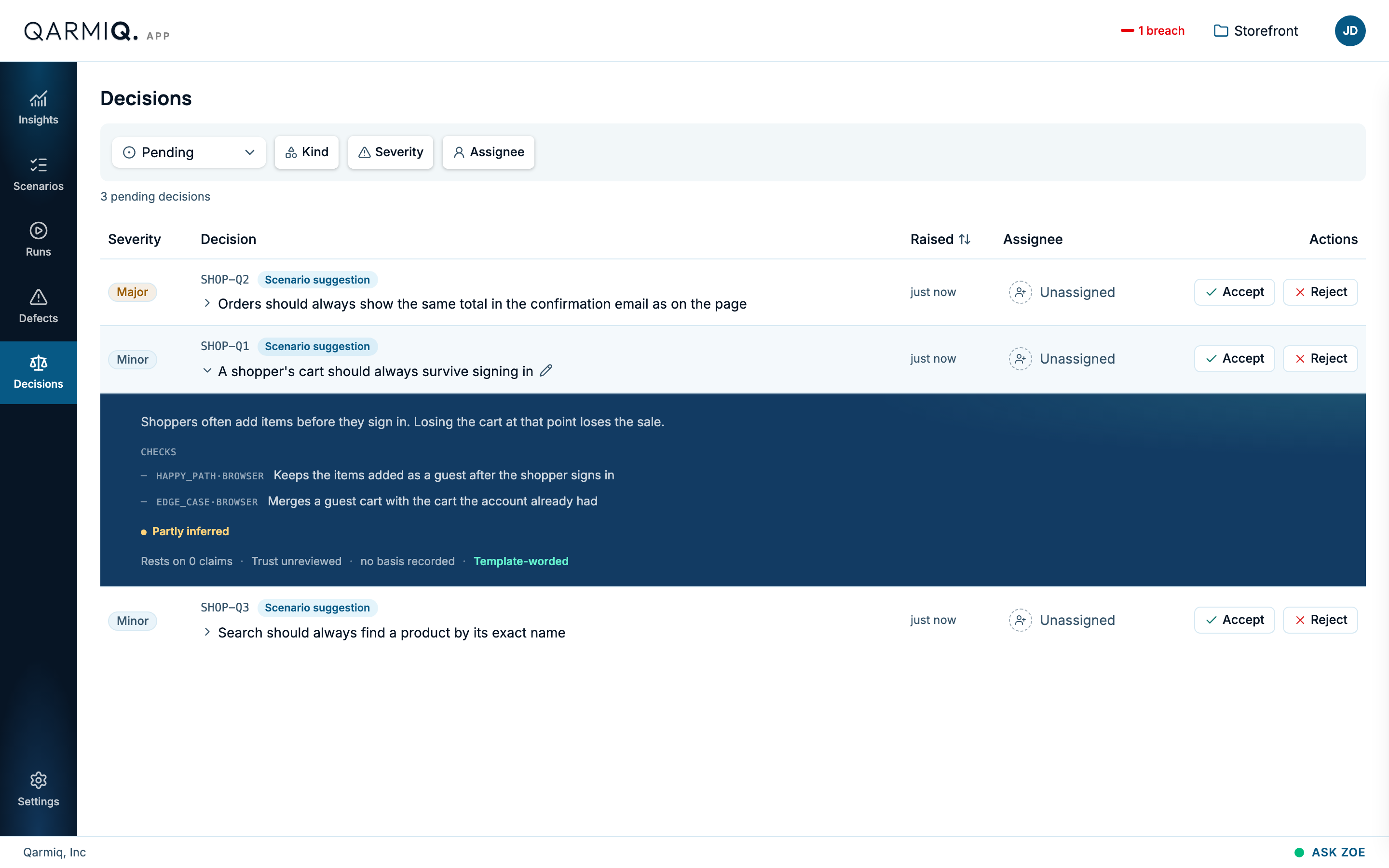
Why this? explains where a decision came from. If the wording is not right, select the pencil to edit it before you decide.
Decide
- Accept applies it, or acknowledges it, depending on the kind below.
- Reject dismisses it. A rejected suggestion is not made again.
- Assign gives it to a project member. Select Unassigned on a row to do the same.
- Reopen brings a settled decision back to pending. Anyone on the project can.
The kinds
| Kind | What it is | What Accept does |
|---|---|---|
| Scenario suggestion | A scenario and its checks, proposed from what Qarmiq knows. | Creates the scenario and its checks. |
| Knowledge conflict | Two pieces of knowledge disagree. | Needs a project admin to decide. See Knowledge. |
| Knowledge question | A real page nothing written down explains. | Needs a project admin to answer. See Knowledge. |
| Route change | A form field was removed or changed on a page. | Records that you have updated or retired the affected check. It changes nothing itself. |
| Test finding | Something an autonomous test noticed beyond its checks. | Acknowledges it. To act on it, file a defect or add a check yourself. See Autonomous test results. |
| Cross-browser finding | A script that passed in Chrome failed on another engine, and the failure looks like a real difference. | Acknowledges it. File the defect yourself. |
| Learning for the next test | A fact the agent learned that the next test should know. | Adds it, as you worded it, to the check’s or scenario’s context. A project-wide learning needs an admin. |
| What a pass looks like | What must be on the page for a check to hold. | Adopts it on the check. |
| Scenario arrangement | A duplicate to merge, a scenario that belongs as checks of another (“Make this scenario checks of that one”), or a check that belongs under another scenario. | Applies the merge or the move. Project admins only. |
| Connector verdict | A connected tool reported a failure. | Files a defect linked to that result. |
| Connector change | A connected tool changed what it reports. | Acknowledges it. |
| Sign-in needed | An environment needs a sign-in before the agent can test it. | Records that you acted. Reconnect it in Environments. |
Find decisions
The first filter switches between Pending and decided. Kind, Severity and Assignee narrow the list. Select Raised to sort by date. These filters are kept in the address, so you can share a filtered view. When nothing matches, the page says “No decisions match these filters”.
Where else they appear
Last verified against the product on 28 October 2026.