Defect detail
Everything about one defect, plus an AI brief you can hand to a developer.
Select a defect to open its page.
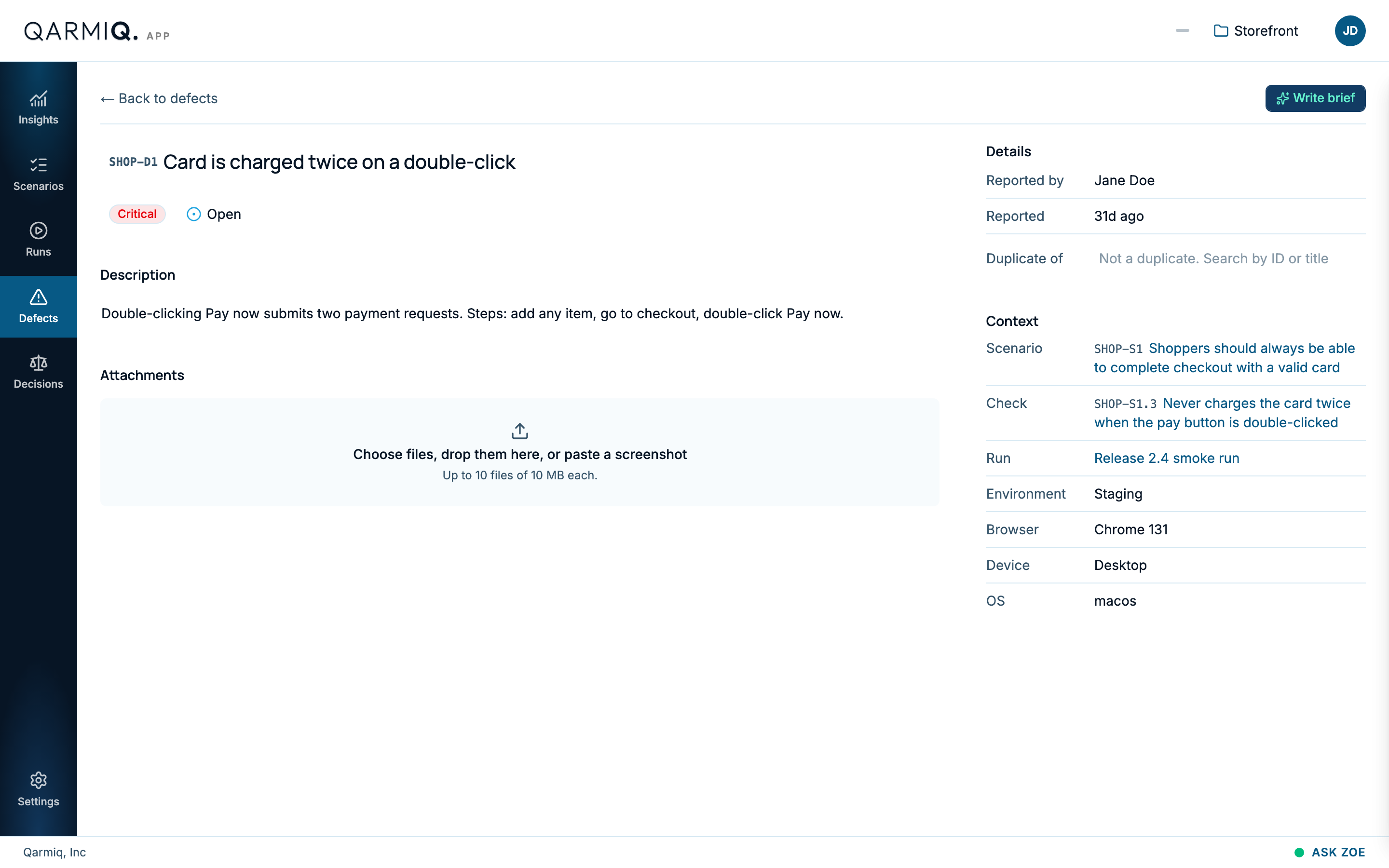
Edit
Select the title to change the Title and severity. Select the description to edit it. Change the status from the badge beside the title.
Attachments
Choose files, drop them on the area, or paste a screenshot. You can attach up to 10 files of 10 MB each.
Details and context
Details shows who reported it and when. If two reports describe the same problem, use Duplicate of to point one at the other.
Context shows the scenario, the check, the run, the environment, the browser, the device and the operating system where it was found.
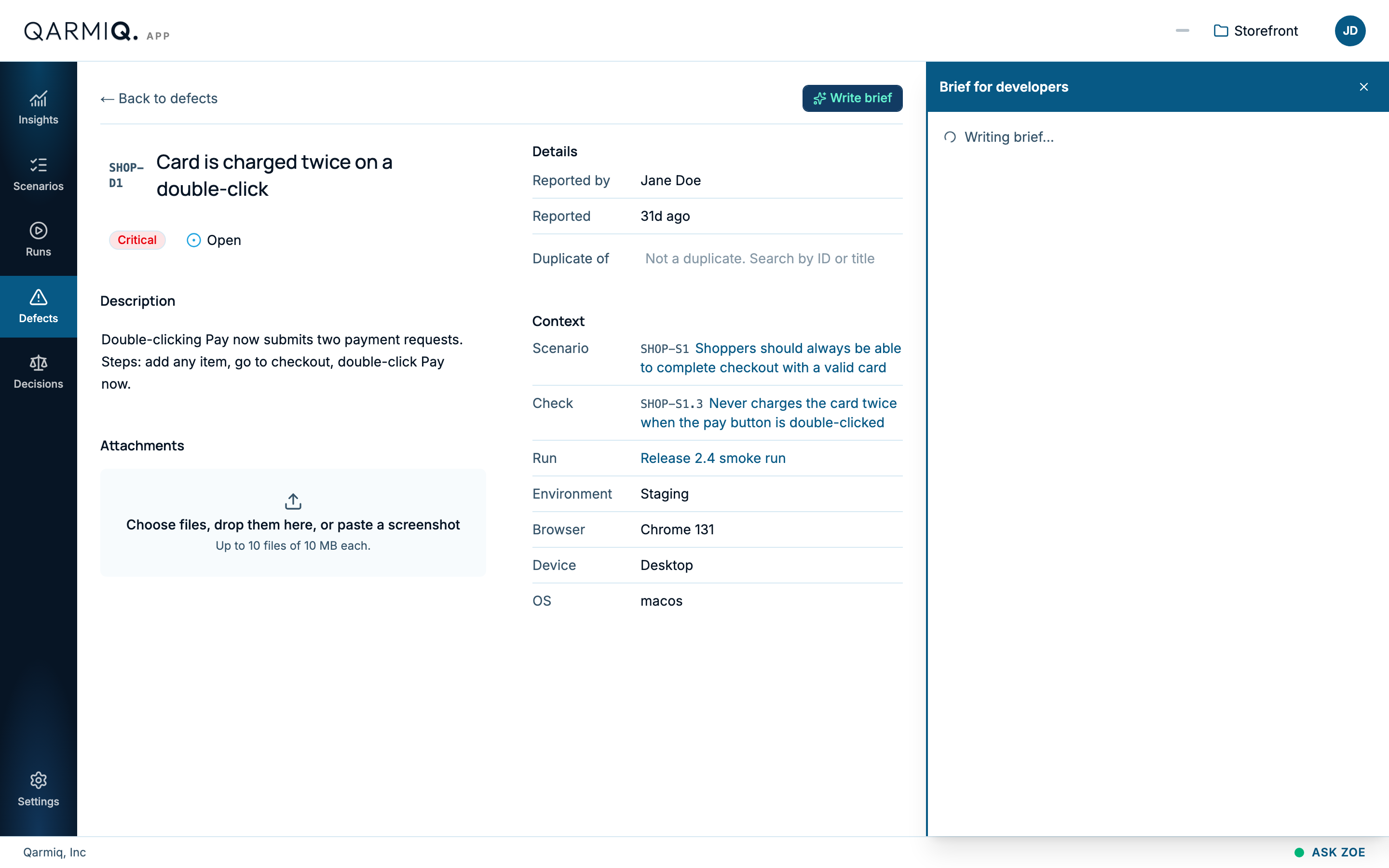
Write a brief for developers
Select Write brief. Qarmiq writes a Brief for developers from the defect’s own details and the evidence captured with it. It covers what happened, what was expected, the steps to reproduce, the environment, what is still unknown and what to check next. The brief only says what the defect actually records. Copy it as Markdown to hand to a developer or a coding agent.
The richer the defect, the better the brief: file from a run result or a finding rather than from the bare list, so the run, browser and steps come along. See Defects.
Last verified against the product on 28 October 2026.