History and red lines
See every version of a scenario, add context, and mark one as a red line.
These controls sit at the top of a scenario, beside its statement.
History
Select History to see Version history: every change to the scenario’s statement, entry point and tags, with who made it.
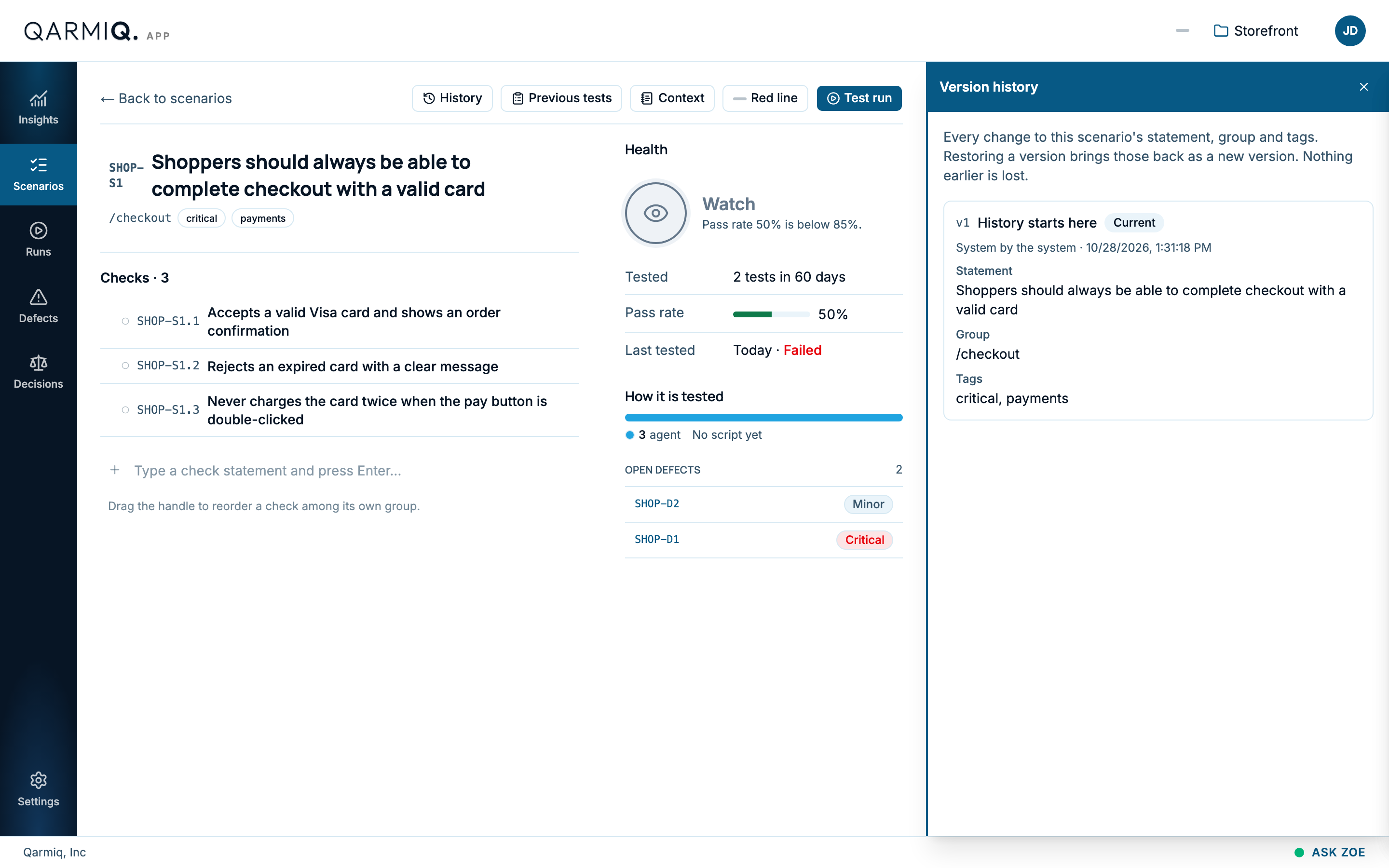
Restoring a version brings it back as a new version. Nothing earlier is lost.
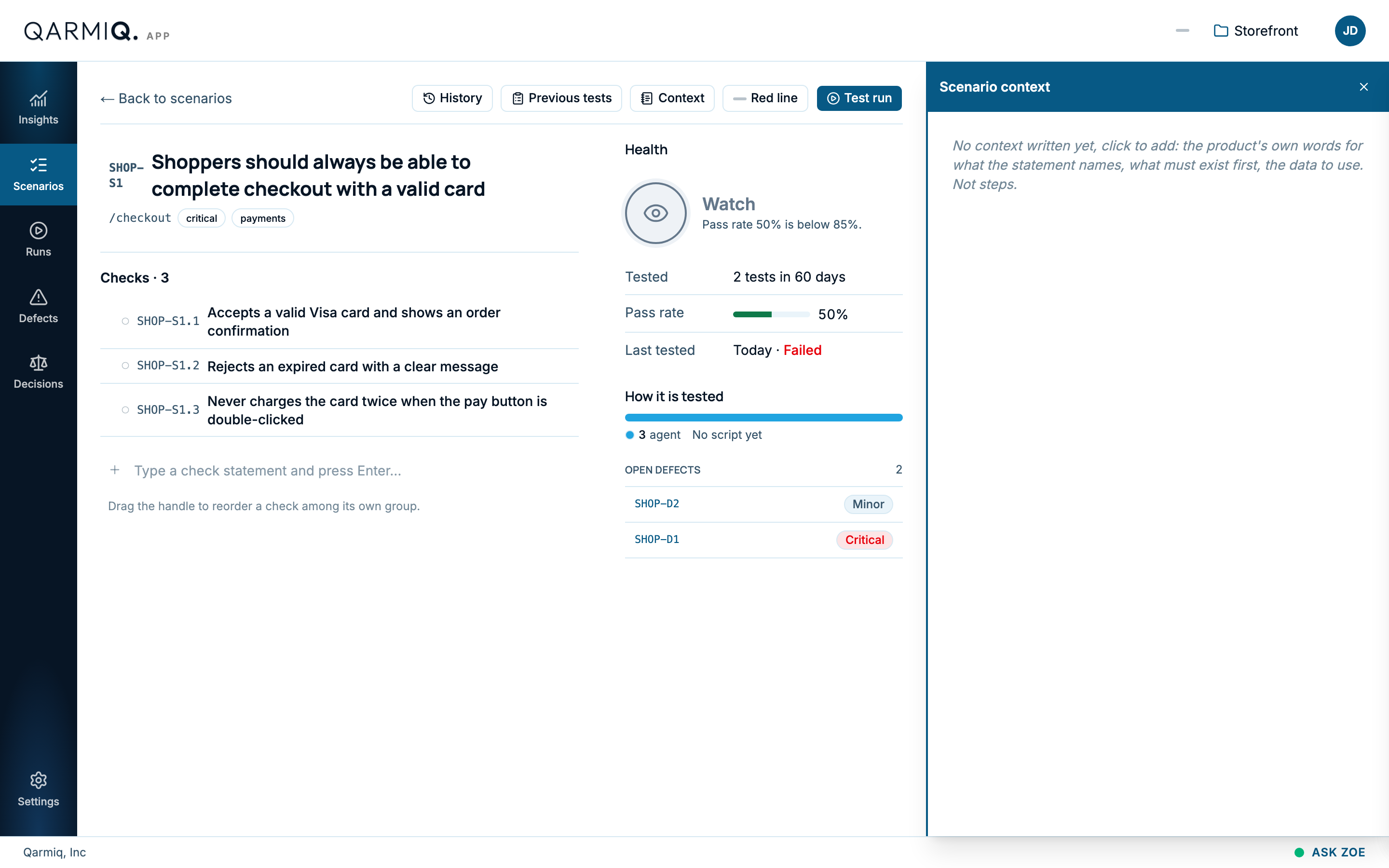
Context
Select Context to write what the statement means in your product’s own words: what must exist first and what data to use. It is not steps.
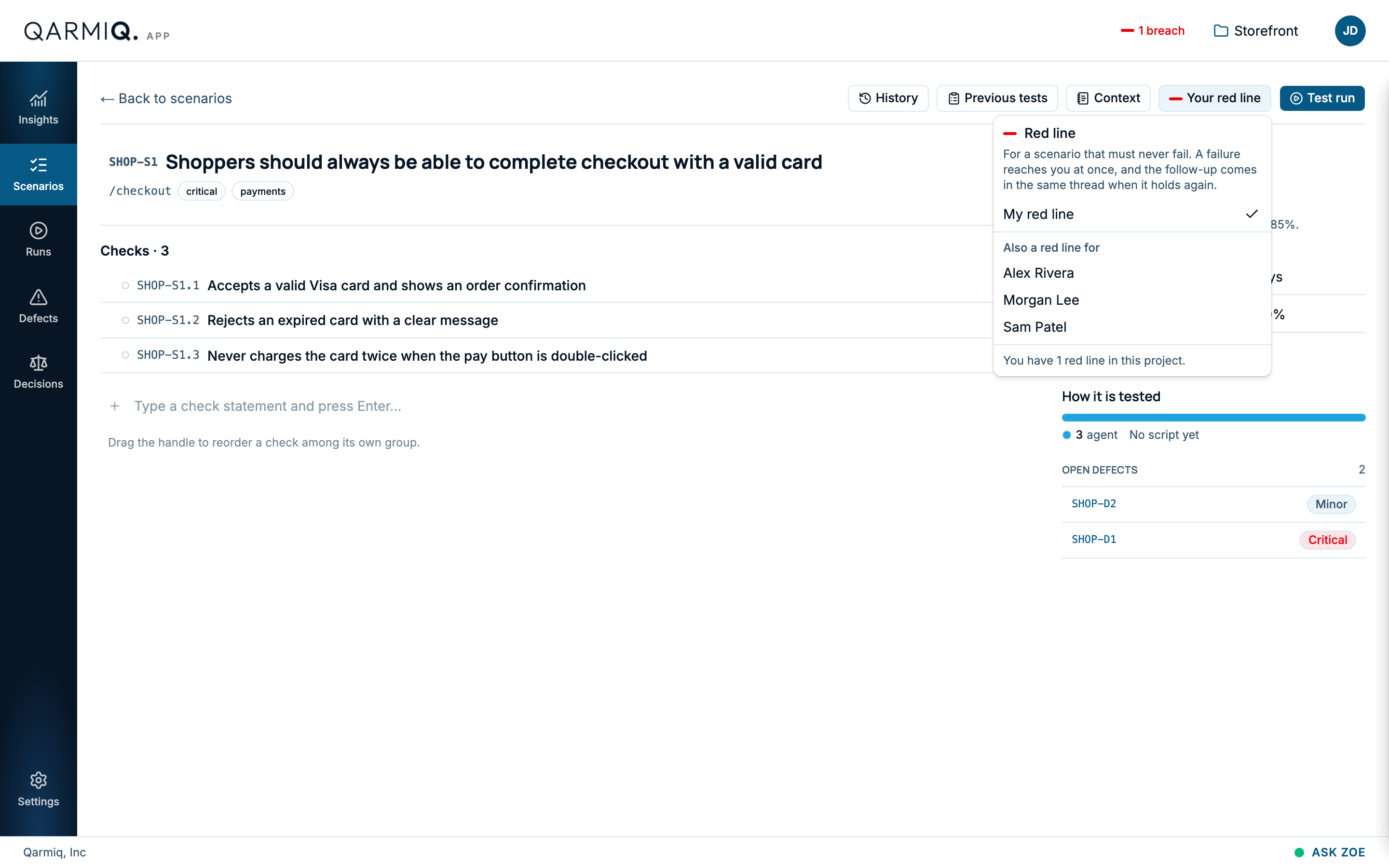
Red line
A red line is a scenario that must never fail. Select Red line to mark one as yours. The button then reads Your red line. Tick Also a red line for to add teammates.
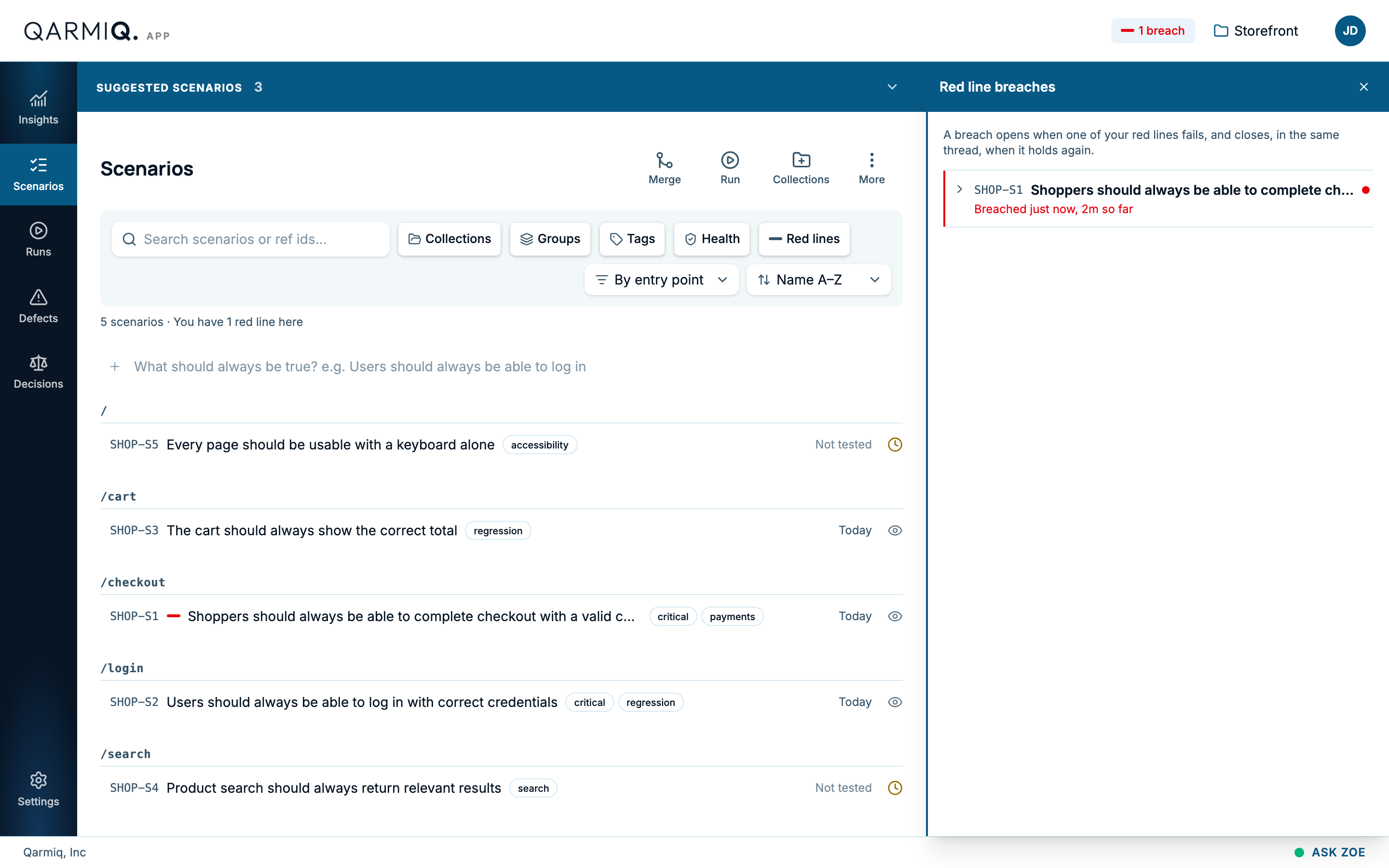
If a red line fails, you are told at once, and the follow-up arrives in the same thread when it holds again. A red line shows as a red dash beside the scenario, and the Red lines filter on the scenarios list shows only those. A button at the top of every page, such as 1 red line breach, lists the breaches that are open.
Test run and previous tests
Test run creates a run for this scenario alone. Previous tests opens the runs list.
Last verified against the product on 28 October 2026.