Stabilisation plan
A ranked set of steps to improve the weakest signals, and how to keep it current.
The stabilisation plan turns a low radar into work. Select Stabilisation plan under the verdict on Insights.
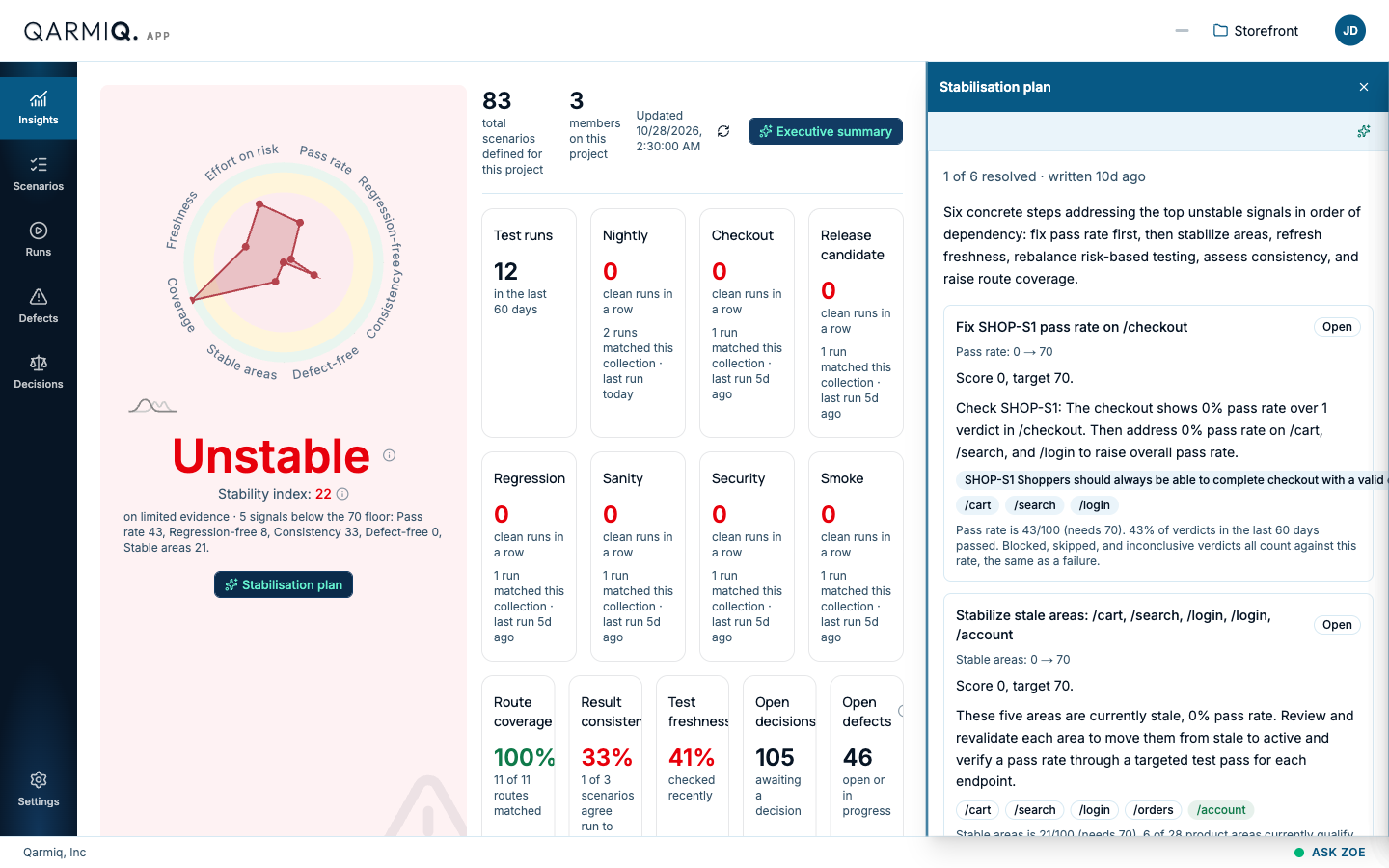
What the plan shows
The top line says how many steps are resolved and how long ago the plan was written, for example “1 of 6 resolved · written 10d ago”. A sentence below gives the order of the steps and why. Steps are ordered by dependency: pass rate first, then stable areas, freshness, effort on risk, consistency and coverage.
Each step is a card with:
- A title naming the problem and where, such as “Fix SHOP-S1 pass rate on /checkout”.
- A status, Open or Resolved.
- The signal and the move needed, such as “Pass rate: 0 → 70”, then the score and the target of 70.
- What to do, in plain words.
- Chips for the scenarios and areas involved. Select a scenario to open it.
- A line saying where that signal stands now, for example “Pass rate is 43/100 (needs 70)”.
Work through it
- Start at the first open step. Open the scenarios and areas it names.
- Fix the cause, then re-run the affected scenarios. See Runs.
- Refresh Insights. A step flips to Resolved by itself when its signal reaches the target, with a line such as “Coverage is now 100/100 (needed 70)”. Nothing is marked done by hand.
If a signal has no particular area behind it, the step says so, as in “no specific endpoints are named in this driver”.
Write a new plan
A plan is a snapshot. When the picture changes, select Write a new plan, the sparkle icon at the top of the panel, to write a fresh one from the current numbers. The old steps are replaced. The plan is written by the project’s AI.
Close the panel with the X at the top right.
Last verified against the product on 28 October 2026.